
Mini Laptops & Computers in Bangladesh

Laptop

Desktop Computer

Server
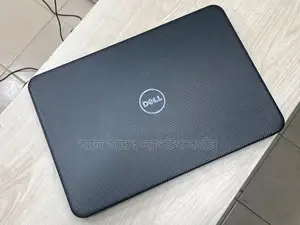

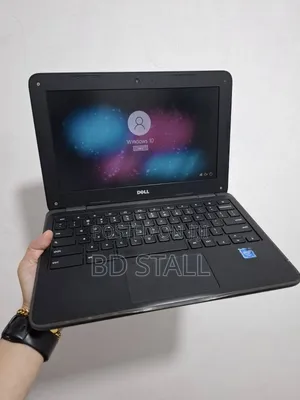
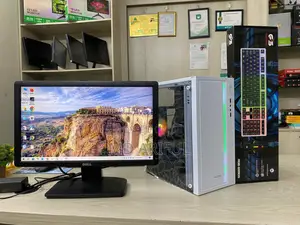

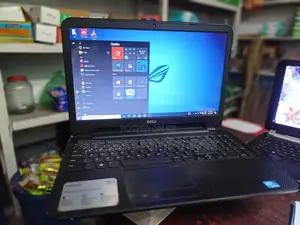
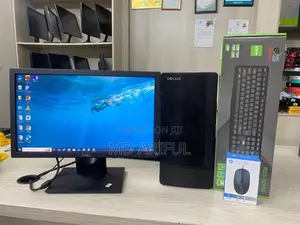

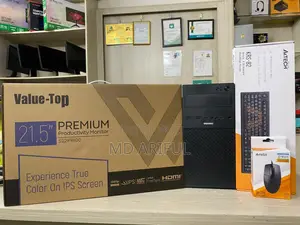
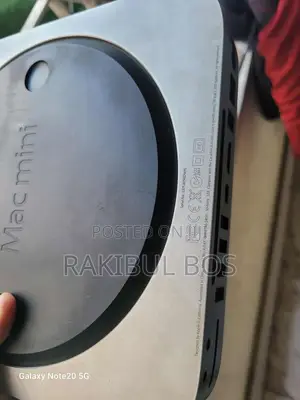



1 - 20 of 21 results
Mini Laptops & Computers FAQs
💎 Which ones belong to the premium segment?
Mini Computers & Laptops: Compact Powerhouses for Modern Users
In today's fast-paced world, the demand for portable, efficient, and stylish computing devices has surged. Mini computers and laptops offer the perfect blend of performance and portability, catering to professionals, students, and casual users alike. Whether you're looking to enhance your workspace, upgrade your travel gear, or simply enjoy the convenience of a compact device, understanding the essentials of mini computers and laptops is crucial. This comprehensive guide delves into their key features, expert insights, pros and cons, and answers to frequently asked questions to help you make informed decisions.
Types of Mini Computers and Laptops: Finding the Perfect Fit for Your Needs
The market offers a diverse range of mini computers and laptops, each designed to meet specific requirements and preferences. Understanding the various categories can help you identify the device that best suits your lifestyle.
Mini Computers
- Mini PCs: Compact desktop computers that offer powerful performance in a small form factor. Ideal for home offices, media centers, and gaming setups.
- All-in-One PCs: Combine the monitor and computer into a single unit, reducing clutter and saving space. Suitable for both professional and personal use.
- NUC (Next Unit of Computing): Ultra-small PCs developed by Intel, designed for enthusiasts and professionals who require customizable and high-performance computing solutions.
Mini Laptops
- Ultrabooks: Slim, lightweight laptops that offer high performance and long battery life. Perfect for professionals and travelers who need portability without sacrificing power.
- Netbooks: Affordable, lightweight laptops with basic functionalities, suitable for web browsing, email, and light productivity tasks.
- 2-in-1 Laptops: Versatile devices that can function as both laptops and tablets, offering flexibility for various use cases.
Key Features to Consider When Choosing Mini Computers and Laptops
Selecting the right mini computer or laptop involves evaluating several factors to ensure it aligns with your needs, preferences, and budget.
1. Performance and Specifications
- Processor: Choose a device with a suitable CPU (e.g., Intel Core i5/i7, AMD Ryzen) based on your performance requirements.
- RAM: Opt for at least 8GB of RAM for smooth multitasking and efficient operation.
- Storage: Consider SSDs for faster boot times and data access. Storage capacity should align with your usage patterns.
2. Portability and Design
- Size and Weight: Mini laptops and PCs are designed for portability. Ensure the device is lightweight and compact enough for your mobility needs.
- Build Quality: Durable materials like aluminum or magnesium alloy enhance longevity and aesthetic appeal.
- Ergonomics: Comfortable keyboards, trackpads, and screen angles contribute to a better user experience.
3. Display Quality
- Resolution: Higher resolutions (e.g., Full HD, 4K) provide sharper and more detailed visuals.
- Panel Type: IPS or OLED panels offer better color accuracy and viewing angles compared to TN panels.
- Refresh Rate: Higher refresh rates (e.g., 120Hz) result in smoother visuals, beneficial for gaming and multimedia consumption.
4. Battery Life
- Capacity: Larger batteries offer longer usage times, crucial for on-the-go users.
- Efficiency: Energy-efficient processors and components contribute to extended battery life.
5. Connectivity and Ports
- USB Ports: Ensure the device has enough USB-A and USB-C ports for your peripherals.
- HDMI/DisplayPort: Necessary for connecting to external displays and projectors.
- Wireless Connectivity: Look for the latest Wi-Fi standards (e.g., Wi-Fi 6) and Bluetooth versions for better performance and compatibility.
6. Operating System
- Windows: Offers compatibility with a wide range of software and applications.
- macOS: Preferred by creative professionals and users within the Apple ecosystem.
- Linux: Ideal for developers and those seeking a customizable and open-source environment.
7. Price and Value
- Budget: Determine your budget and seek devices that offer the best features within your price range.
- Features vs. Cost: Evaluate whether the device’s features justify its price, ensuring you get the best value for your investment.
Maintenance Tips: Keeping Your Mini Computers and Laptops in Top Shape
Proper maintenance ensures that your mini computer or laptop remains reliable, efficient, and aesthetically pleasing over time. Here are some essential maintenance tips:
1. Regular Cleaning
Keep your device clean by regularly wiping the screen, keyboard, and exterior surfaces with appropriate cleaning materials. Use compressed air to remove dust from vents and ports.
2. Software Updates
Regularly update your operating system and software to benefit from the latest features, security patches, and performance improvements.
3. Battery Care
- Proper Charging: Avoid letting the battery drain completely. Charge it before it drops below 20% to prolong its lifespan.
- Temperature Management: Keep your device in a cool environment to prevent battery degradation caused by excessive heat.
4. Data Backup
Regularly back up your data to external drives or cloud services to prevent data loss in case of hardware failure or other issues.
5. Security Measures
- Antivirus Software: Install and maintain reliable antivirus software to protect against malware and other security threats.
- Firewalls: Ensure that your device’s firewall is enabled to safeguard your network connections.
6. Physical Protection
Use protective cases, sleeves, and keyboard covers to shield your device from scratches, spills, and accidental drops.
Pros and Cons of Mini Computers and Laptops
Pros:
- Portability: Compact and lightweight designs make them easy to carry and use on the go.
- Space-Saving: Ideal for small workspaces, dorm rooms, and minimalist setups.
- Energy Efficiency: Typically consume less power, contributing to lower energy bills and longer battery life.
- Modern Design: Sleek and stylish aesthetics appeal to contemporary users.
- Versatility: Suitable for a wide range of tasks, from productivity and media consumption to light gaming and creative work.
Cons:
- Limited Upgrade Options: Many mini devices have restricted possibilities for hardware upgrades.
- Performance Constraints: Entry-level models may struggle with intensive tasks compared to their larger counterparts.
- Higher Cost per Performance: Compact designs can sometimes result in higher prices for similar performance levels.
- Thermal Management: Smaller devices may face challenges in dissipating heat, potentially affecting performance and longevity.
Expert Opinions
Industry experts highlight the growing significance of mini computers and laptops in today's technology landscape. Their compact designs and impressive performance make them attractive options for a wide range of users.
Dr. Anika Sharma, Computer Science Professor
“Mini computers and laptops represent the future of computing, where portability does not compromise performance. Advances in technology have enabled these devices to handle complex tasks efficiently, making them suitable for both personal and professional use.”
Mr. Rajiv Menon, IT Consultant
“The versatility of mini laptops, especially 2-in-1 models, offers unparalleled flexibility for users. Whether you need a device for work, study, or entertainment, there’s a mini laptop that can cater to your specific needs without taking up too much space.”
Ms. Farhana Islam, Tech Blogger
“Mini PCs like Intel's NUC series are revolutionizing the way we think about desktop computing. They provide the power and functionality of traditional desktops in a fraction of the size, making them ideal for those who require high performance in a compact form factor.”p>
User Reviews and Feedback
User Testimonials
“I switched to a mini laptop for my travels, and it has been a game-changer. It’s lightweight, powerful enough for my work, and the battery life is impressive. I no longer have to lug around a bulky device.” – Mehreen Ahmed, Dhaka
“The mini PC I purchased fits perfectly in my home office without taking up much space. It handles all my daily tasks seamlessly and is easy to set up with multiple peripherals.” – Rahim Uddin, Chittagong
Expert Reviews
“The Lenovo ThinkCentre M Series mini PCs offer exceptional performance in a compact design. They are ideal for businesses looking to maximize desk space without sacrificing computing power.” – Sharmin Akhter, Tech Reviewer
“The Microsoft Surface Go 2 strikes an excellent balance between portability and functionality. Its tablet-like form factor with keyboard compatibility makes it a versatile choice for both casual users and professionals.” – Imran Hossain, Mobile Expert
Frequently Asked Questions
What is the difference between a mini PC and a traditional desktop?
Mini PCs are significantly smaller and more portable than traditional desktops, while still offering comparable performance. They are ideal for users with limited space or those who need a portable computing solution. However, they may have limited upgrade options compared to traditional desktops.
Are mini laptops as powerful as regular laptops?
While mini laptops offer impressive performance for their size, they may not match the power of larger, high-end laptops designed for intensive tasks like gaming or video editing. However, for everyday use, productivity, and light multimedia tasks, mini laptops are more than sufficient.
Can I upgrade the components of a mini PC?
Upgrade options for mini PCs are generally more limited compared to traditional desktops. While some models allow for RAM and storage upgrades, other components like the CPU and GPU are often integrated and not user-replaceable. It’s important to check the specifications of the specific mini PC model you’re interested in.
What are the advantages of a 2-in-1 mini laptop?
2-in-1 mini laptops offer the flexibility of both a traditional laptop and a tablet. This versatility allows users to switch between typing and touch-based interactions seamlessly, making them ideal for a variety of tasks such as note-taking, drawing, and media consumption.
Final Thoughts
Mini computers and laptops have revolutionized the way we approach computing, offering powerful performance in compact and stylish designs. Whether you’re a professional seeking a portable workstation, a student looking for a reliable study companion, or a casual user in need of a versatile device, there’s a mini computer or laptop that perfectly aligns with your requirements. By understanding the different types, key features, and maintenance practices, you can make an informed decision that enhances your productivity and complements your lifestyle.
Embrace the future of computing with mini computers and laptops—where portability meets performance, and style meets functionality.


